• Retail + Combo Businesses ~ How To Make Your Annual Report To The WA DOR (For Excise Taxes)
Hello + Note from January 2019: The state has a new portal, which looks a little different. I'm hoping to add screenshots of the new one sometime soon. Meanwhile, this post will still give you a good idea of the process. Thanks for your patience!
Does your work include: retail, retail-service, wholesale, manufacturing, or royalties. Or a combination?
Then this post is for you!
If your business is NON-retail SERVICE only, click here to see a different walkthrough.
A little warning. Reporting to the state isn't that bad........though, this blog post will perhaps make it look a little confusing. Additionally, the online tax forms will definitely make it look even more confusing!!! That is because there are SO many variables, and one form has to serve all industries.
The best thing to do is collect your numbers, then get help. You can call the state. It's their job to walk you through this. Or, get in touch for a one-time consult with me. Or, get a good friend to read through the instructions with you together. :)
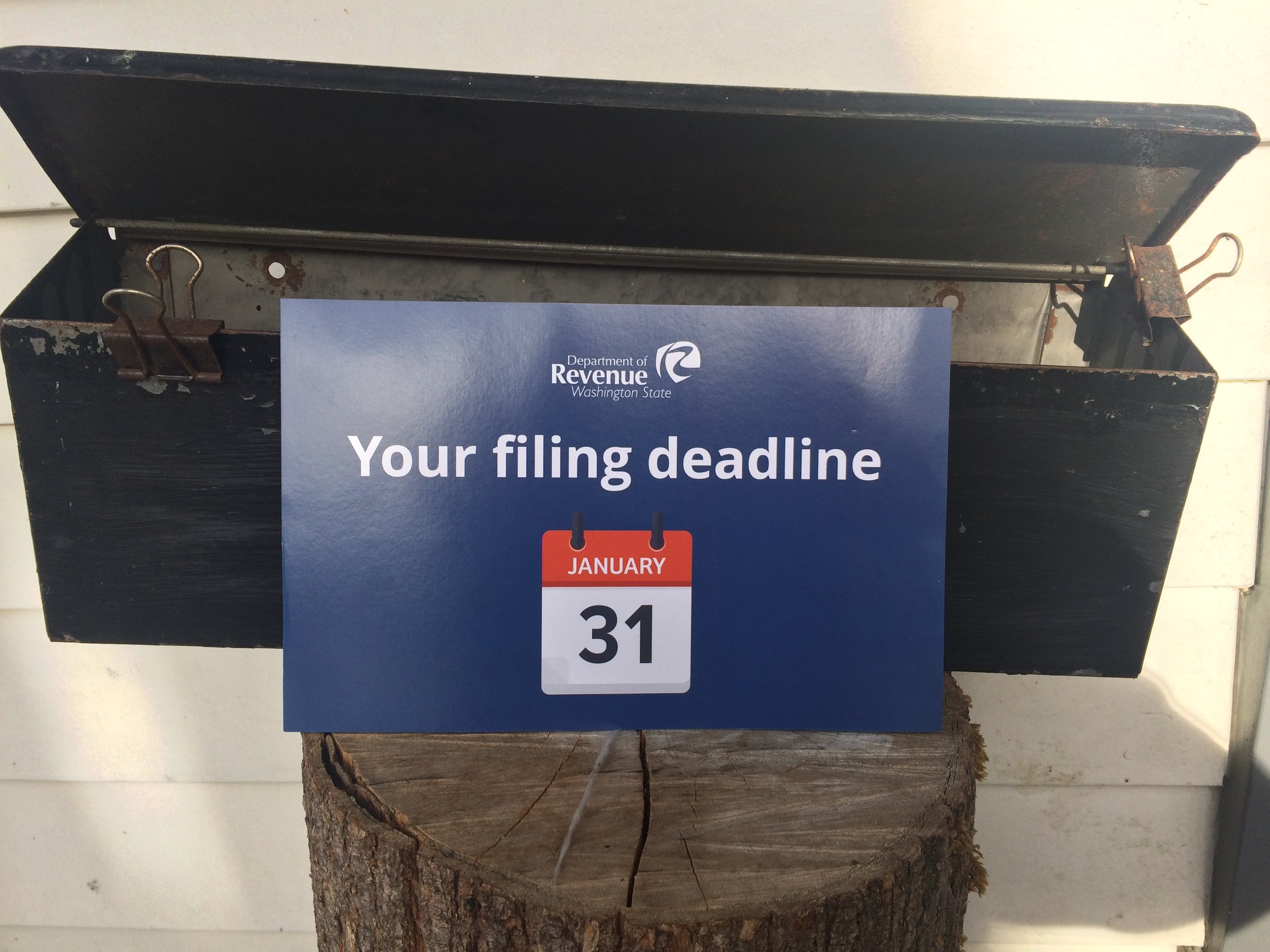
Due - for ANNUAL Filers - April 15
Due - for QUARTERLY Filers - April 30, July 31, October 31, January 31
Time Required: 20 - 60 minutes to file, perhaps up to 2 hours
Frustration Factor: 5 out of 10
Cost/B&O Taxes Due: If you earned under about $45K (gross sales), then you will not pay any B&O taxes to the state. If your gross sales were over $45K, then it could be a few hundred dollars up to a thousand or more.
Sales Tax Due: Depends on your retail sales total(s) and locations
Type of Tax: B&O (business and occupation), Sales Tax, Use Tax (not covered in this post)
With: WA State Department of Revenue (DOR), using DOR.WA.gov
Options: Paper on Online. Recommended ~ use the ONLINE form!
More information and screenshots below. If you need help at any time, call the state at: 800.647.7706
Summary of the Task
1. Log in
2. Find the correct boxes for each business category: Retail, Service, Wholesale, Manufacturing, Royalties, etc.
3. Fill in total amounts by category
4. Enter all the cities you sold retail products or services
5. Enter retail sales by time period, from 1/1/17 - 3/31/17, then from 4/1/17 - 12/31/17
6. Click next through several screens
7. Confirm
8. Go through payment screens to submit sales tax + any B&O tax owed
**In some cases, enter "Tax Paid at the Source" as a deduction. (Explained on Prep Sheet, below.)
If you're ready, click here to get started at the DOR.WA.gov. More info and screenshots below.
If you have any trouble, call the DOR at 1.800.647.7706. It's their job to help you file your taxes!
How to Prepare - If You are NEW to This :)
Reporting to WA is very similar to reporting to Seattle, but just a little more complicated. I recommend preparing for both at once. Everyone's situation is a little different, so it's hard to give estimates or exact instructions.
Here's what I recommend:
1. Schedule some prep time on your calendar in the next week
2. Schedule a 30 - 120 minute block for tax filing, during the weekday, with a plan to call the state DOR if needed (they will walk you through this)
3. Print out the Prep sheet below
4. During your prep time, fill out as many numbers as you can on the Prep Sheet
5. On your scheduled day, call the state to help you. Be prepared to wait...have something fun to do while on hold.
Prep Sheet
Click on the image below, to get to a PDF to download.


A Little Info
Washington state collects three kinds of tax. The Department of Revenue handles this.
B & O Tax - Business and Occupation. Every business has to pay this tax, though small businesses get a credit, so you might not owe any! Different industries are taxed on business activities. The percentages vary.
Use Tax - This might apply to you. (Though I don't cover it in the screenshots below.) It's like sales tax for things you buy in other states. For example, if you buy a computer in Portland, you'd be required to pay Use Tax in WA state for it.
Sales Tax - This is a tax that businesses collect and submit, versus a tax one pays. If you're a (NON-Retail) Service provider, you don't have to collect this tax! Click here to read about Services vs. Retail Service. The DOR collects for both the state and the city/cities (referred to as local tax).
IMPORTANT NOTE - ONE
If you do not have an account yet with the DOR (Department of Revenue), you'll need to set one up. A blog post is coming soon to show this. Meanwhile, here's what I can tell you.
You will need your~
• UBI - Unified Business Identifier, the # that WA state assigned to your business
and
• PAC Code - I don't know what this stands for. You can find it on most letters from the DOR, or if they sent you a paper form for Excise Tax.


IMPORTANT NOTE - TWO
By any chance, did the state assign you to make Quarterly reports? Versus Annual reports? This sometimes happens when self-employed folks register an LLC. If you want to change from Quarterly to Annually, you must call the DOR (Department of Revenue) during the month of January. And only in January! The number is 1.800.647.7706. If your annual Gross Sales are under a certain amount, they will make the change for you.
Screenshots ~ Making Your Report to the WA DOR
To get started, click here to go to the DOR.WA.gov.
Follow the circles.

Log In.

Click on File Return.

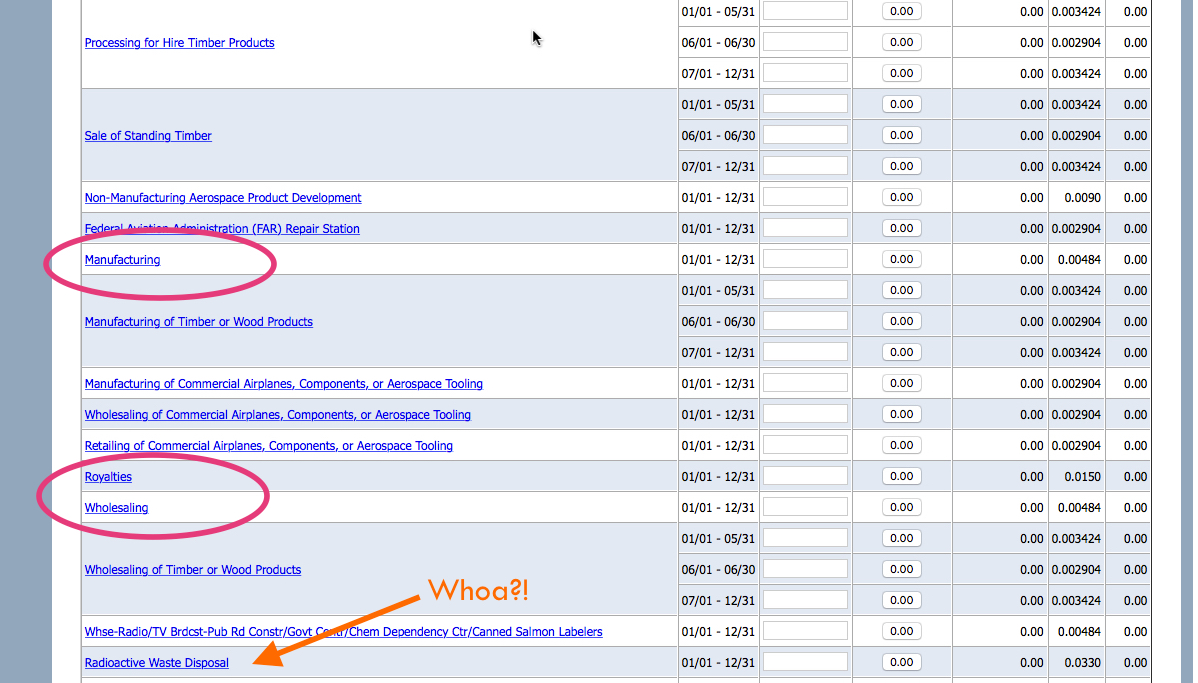
Scroll down........look out for the categories that apply to you. (And check out some of the others along the way!)
Enter the total Gross Sales in each box, next to the name of the category.

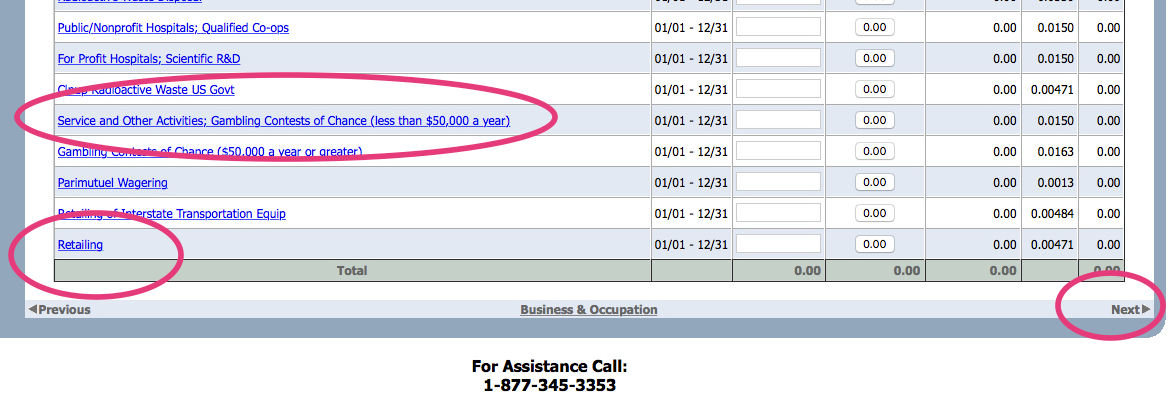
Hit Next.
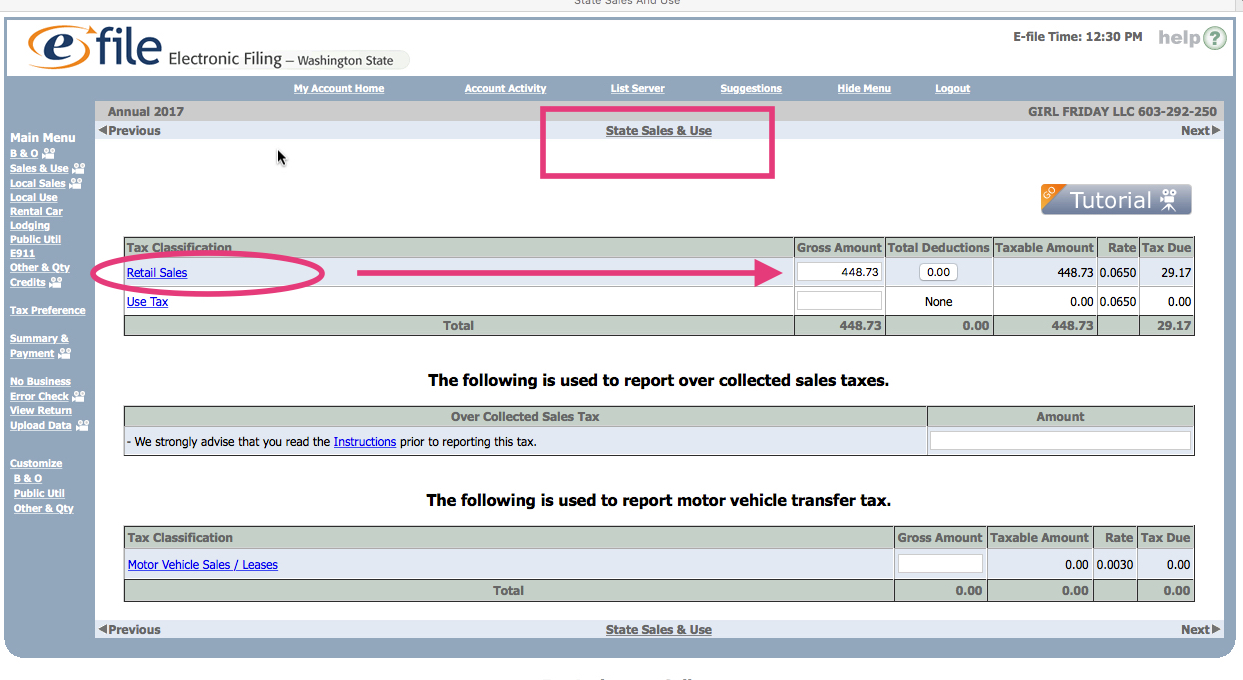
Now you're on the State Sales & Use Tax
Enter your Gross Sales in the Retail Sales box. (This might be pre-filled out for you because of the previous screen. This is collected for the state. The screen shows the rate of 6.5%.
If you know that you owe Use Tax, put that amount as well. (This is for items you bought out of state. If you have questions, call the DOR.)
This next page is for the Local Sales tax. This money is collected on behalf of the city/cities where you sold products and retail services.
> You'll need to add each city.
> For some, you'll need to give subtotals of gross sales in two different time periods.
(Because the tax went up midway through the year.) It shows the different rates to the right.

If you know you'll owe Use Tax, add Seattle, then add your amounts. (Sorry, I'm not going into detail here. This doesn't apply to most people.)

Click NEXT through the following screens until you get to the confirmation page.
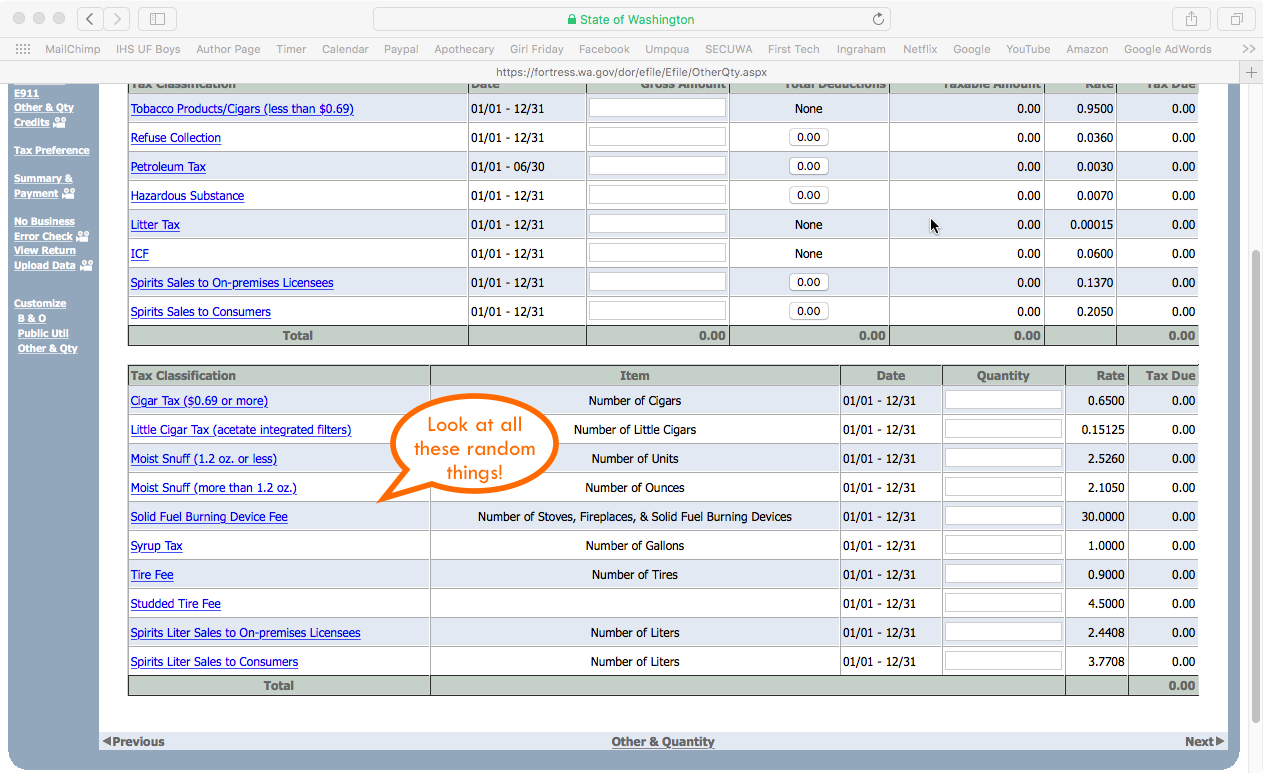
>> One exception, if you need to take TAX PAID at the SOURCE, it may be on one of these pages. Sorry, I don't know where it is......

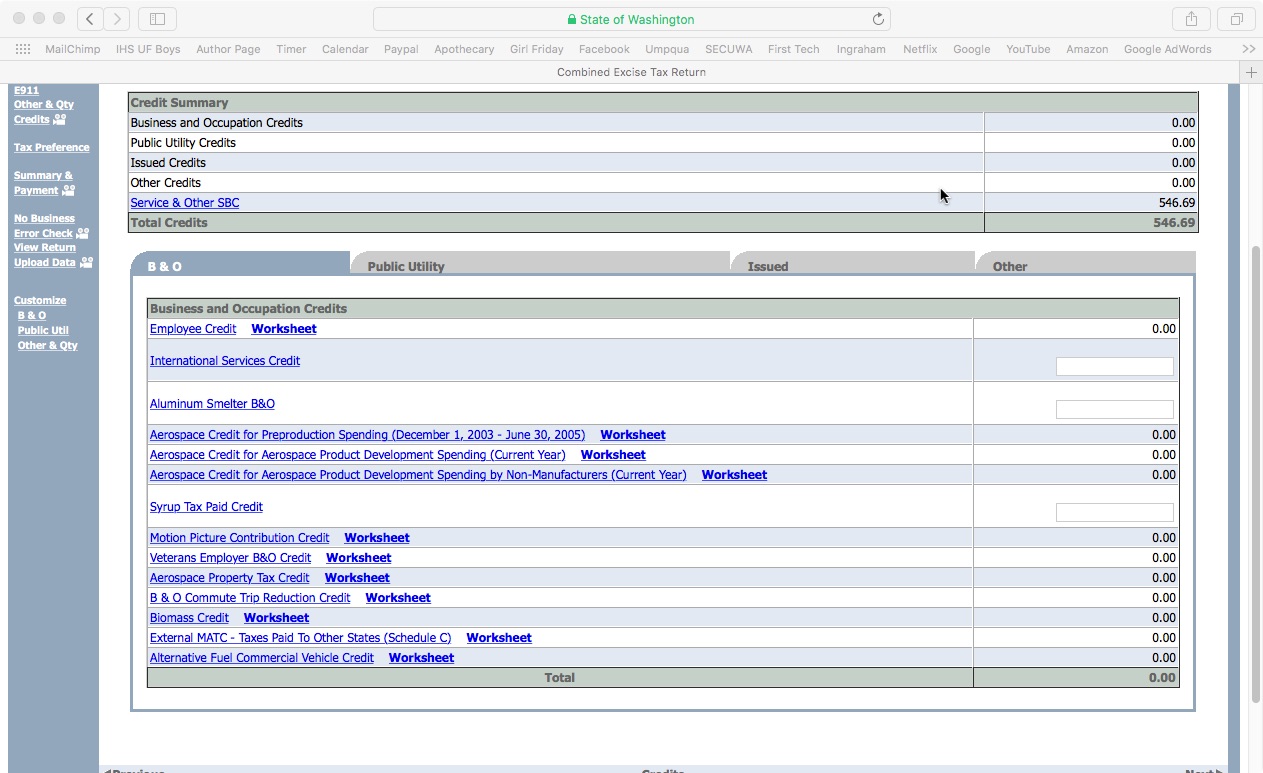

Finally, here we are. It'll show your B&O tax, sales tax, local tax, use tax, etc.
Also, any credits applied to you.
Fill out your contact info to file.
If you owe any money, it'll direct you to a payment screen.

Payment screen. The first one deducts directly from your bank account.
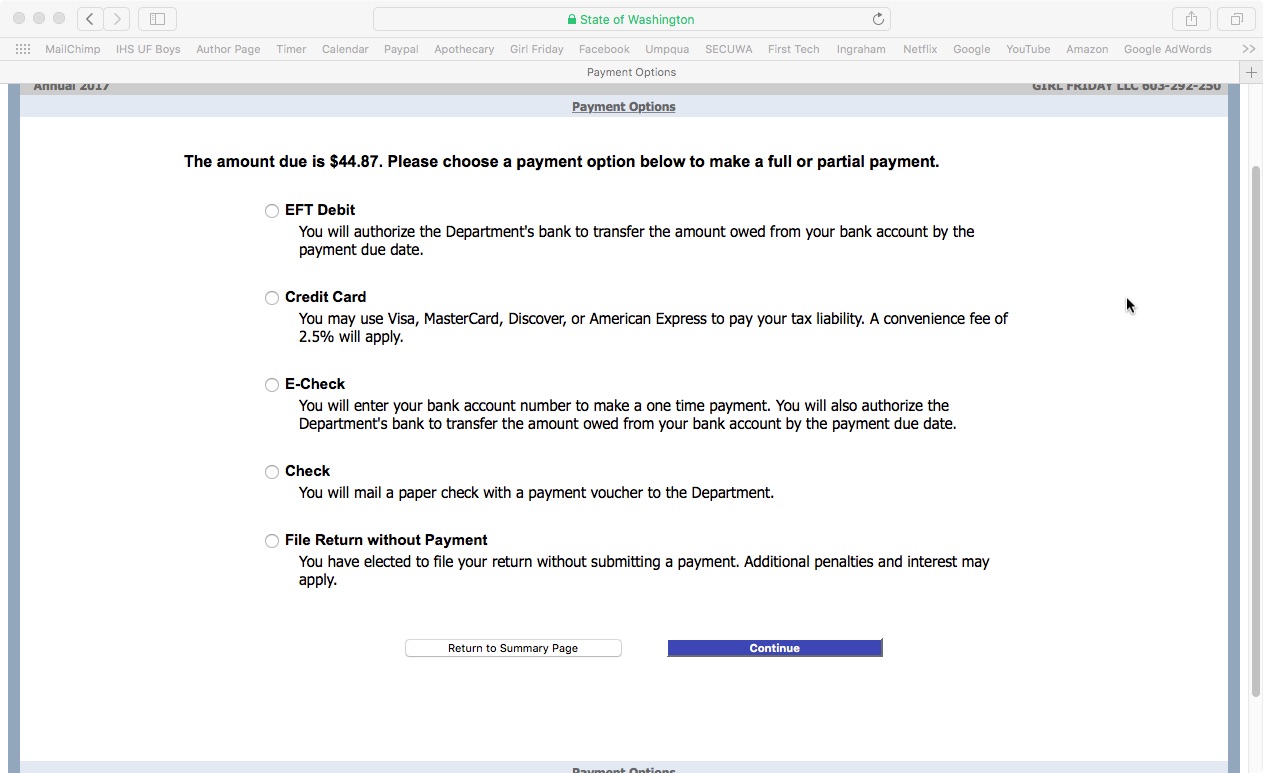
After you fill out your payment info, be sure you follow all the directions to Submit payment.
Check for the buttons at the bottom of each screen. (Sorry, I forgot to grab those screenshots for you.)
Woohoo! Confirmation screen. If you paid any B&O tax, be sure to put a copy in your receipts file.
You can deduct these taxes when you do your Federal filing with the IRS. (Sales and Use Tax is NOT deductible for IRS taxes.)

If you select "View Printable Return" this is what it looks like.

Well done! This will be way easier next year, now that you've been through it.
Please take a little moment to reward yourself. Perhaps some nice chocolate, a walk outside, a glass of wine, or order dinner in tonight.
Cheers!
Jenny Girl Friday
♥
P.S. Did this help? I hope so! Pretty please share with any friends, or post on Facebook. I think self-employed folks are keeping the soul in Seattle. I want to make the chores of business easier, so you can all keep being awesome and shining your light.
P.S. 2 Are you signed up for Sidekick Services via email? Get reminders and links to how-tos delivered right to your email inbox. :)

• Renew Your Seattle (City) Business License - December 31st
Your first TAX season hoop is here! Renew your Seattle business license by December 31st. Cost is $55 if you earn under $20K, or $110 if over $20K (plus fees if you renew online).
A friendly reminder ~ all self-employed folks need to have two business licenses, one from the state and one from the city.

This post is about renewing your business license with Seattle. (Its longer name is Business License Tax Certificate.) To read more about it, go to: seattle.gov/licenses/get-a-business-license. [Post coming soon about state business licenses.]
Your city business license is the one with the year printed diagonally across ... and the Seattle symbol in the corner.
Due: December 31st
Time: 5 minutes
Frustration: 5 out of 10
(on FileLocal)
Cost:
$57 if you make under $20K annually
$113 if you make over $20K
+Fees: $2 - 7 for processing credit cards
Note: There is a grace period until January 31st. After that, a late penalty applies.
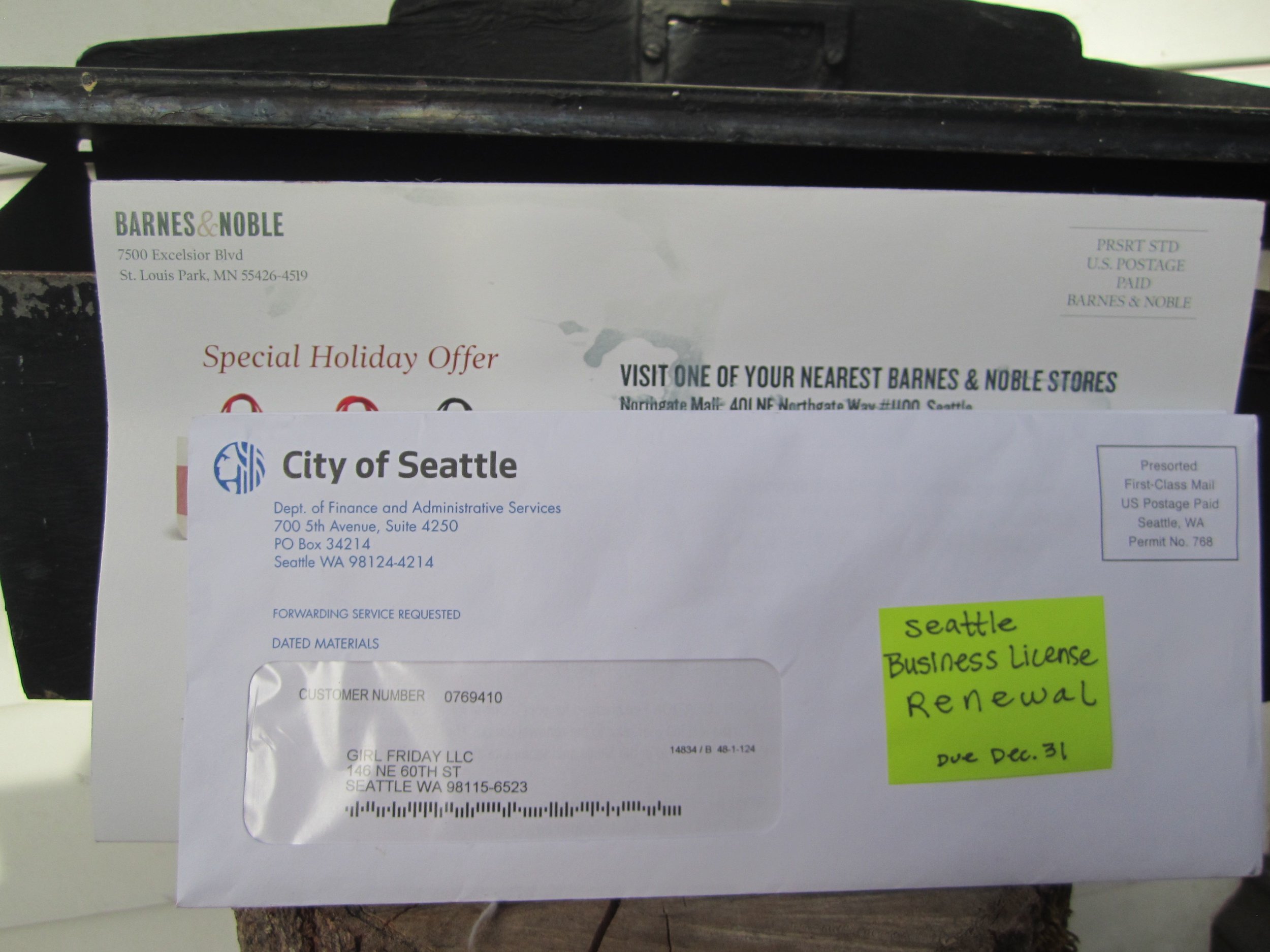
you have 2 options for renewing your license.
Renew through the mail.
Hopefully, you've received a renewal form in the mail. If not, and prefer to renew this way, call the city at: 206-684-8484. Or email them at: tax@seattle.gov
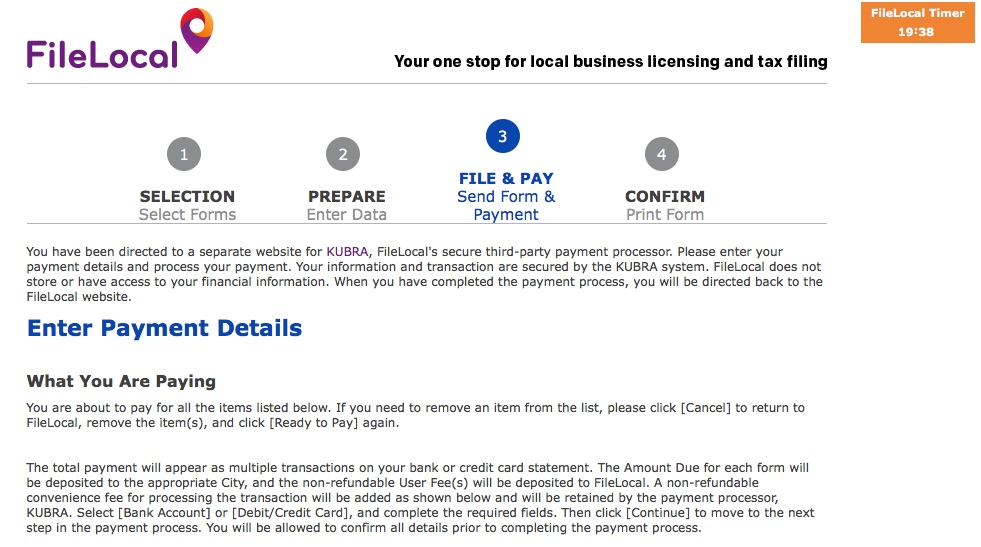
Online ~ FileLocal Portal - This is the new portal.
If you've already created your account, it's pretty easy to renew your license. If you haven't set up your new account, read this article, and plan an extra 20 - 30 minutes for that step. Instructions and screenshots below for renewing your license.
Renew with FileLocal
If you need to set up your account, read this article first. Allow 20 - 30 minutes.
NOTE - The specific screens and steps might have changed a little bit. This will at least give you an idea of what to expect.
1. Sign in to FileLocal
2. Select Renew A License
3. Now you're in the Activity Center. It should have "Renewals and Applications" set as the "TYPE" of activity, with your business information below. [If not, adjust as needed. Call FileLocal if you need help 1.877.693.4435 Select Continue.
4. Continue through screens to confirm your information. Then look for the "READY TO PAY" button.
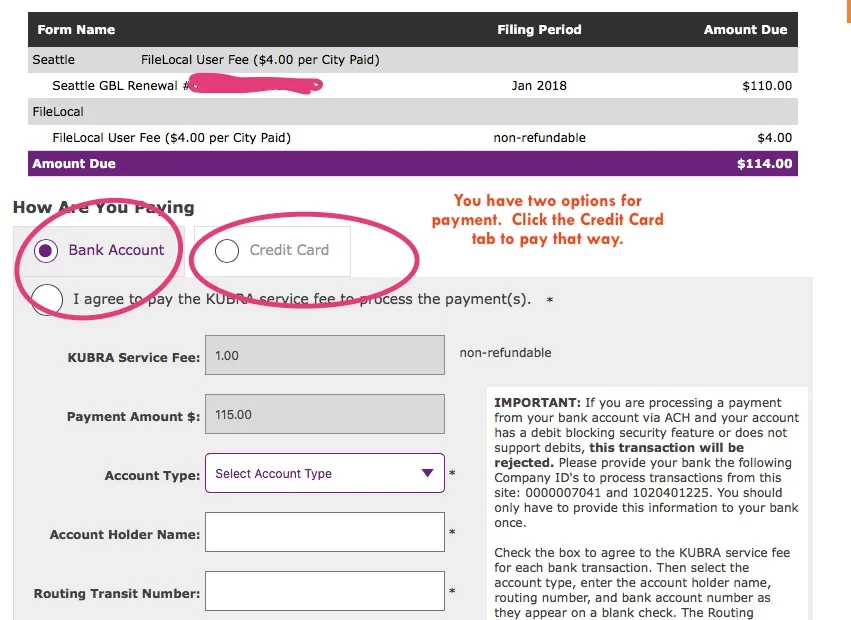
5. Look for the HOW ARE YOU PAYING tabs. It's set on Bank Account. You can use that, or select the tab for CREDIT CARD.
6. Complete the checkout process.
7. Print a copy for your records. (It's an expense/deduction.) Or, save a pdf and put into special folder.
8. Check this off your Tax Season List!




Well Done! One more Hoop accomplished / one more thing checked off your TAX Season checklist!
♥ ♥ ♥ ♥ ♥ ♥ ♥ ♥ ♥
Are you already signed up for Sidekick Services? Get tax and license reminders delivered right to your Email Inbox, so you can stay current + feel peace of mind all year long. Did this article help you? Please share with a friend or two, or 5!
{I'm on a mission to help every self-employed woman* in Seattle get the support she needs to be awesome.}
Cheers! Jenny Girl Friday
• Meet FileLocal - Seattle's New Portal for License Renewal and B & O Tax Reporting
Important Note: Filelocal has changed it’s sign up process, so the screenshots will look different than what you see below. This will still give you a general idea. I hope to update soon! ~ January 16, 2019
Grab some coffee (maybe wine), a few deep breaths, perhaps a friend ... and get ready to set up your FileLocal account.
Estimated Time: 10 - 25 minutes
Frustration Factor: 4 out of 10
Cost: Free
Recommended Timeframe: November or December
If you're self-employed in Seattle, the city requires three things of you:
• Get a city business license, when you start
• Renew city business license, annually
• Make a report of Gross Sales, annually*
If you make over $100K, then there's a fourth requirement: paying B & O taxes.
*For most. Some businesses are required to report quarterly.
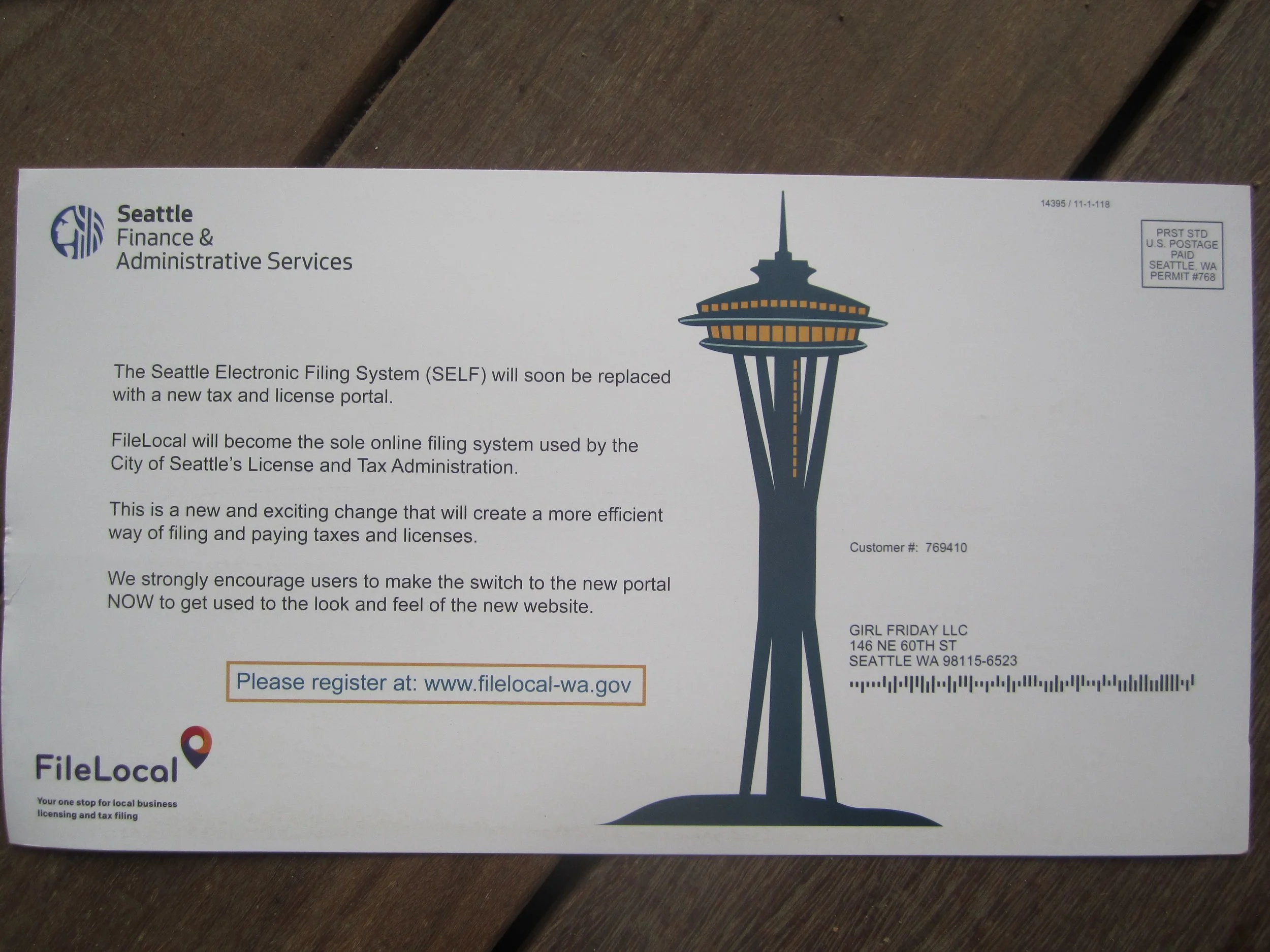
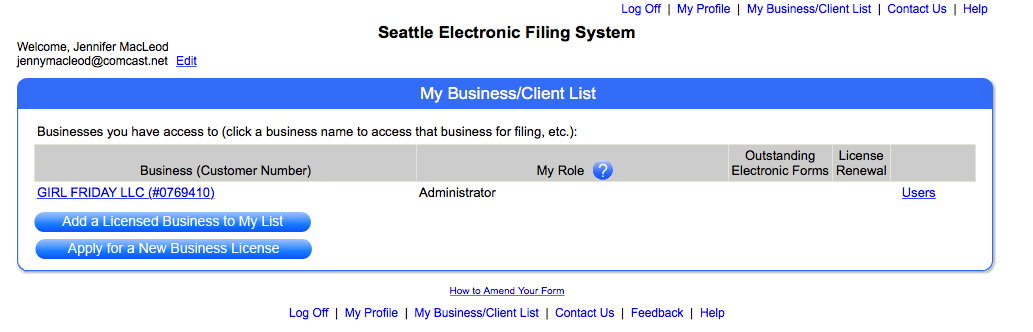
In the past, Seattle used a portal called SELF. It's now switching over to FileLocal.
The city's encouraging us to set up our FileLocal account sooner than later ... and I can sure see why! I just ran through it this morning, hit a snag, and had to find a ton of information! Not to worry, I've got you covered. :)
FileLocal asks for ALL of your business numbers. You can either find these things as you go, or look them up ahead of time. It definitely took me a little rummaging... This list might vary in order from the application. ProTip: If you haven't already, write all your numbers in one special notebook.

The List in Brief (details below):
1. Federal Tax Number
2. UBI - 16 digit version
3. NAICS code
4. Seattle Customer Number
1. Federal Tax Number. If you are a sole prop or a single-member LLC, you might be using your SSN for this. This is totally fine for the IRS. However, this form requires you to have an EIN! (Or FEIN.) So, if you don't have one already, you'll need to get one. It's easy, free, and only takes 10 minutes. Here's the link: Get EIN on IRS.gov. Or, go to IRS.gov and search for EIN. Heads up, this web service is only available during the daytime.
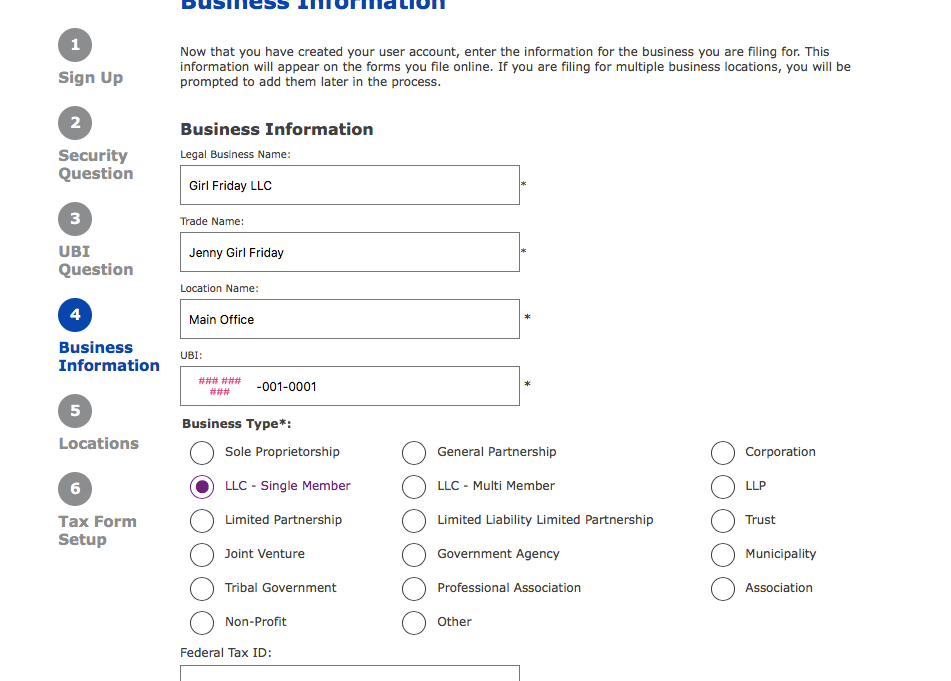
2. UBI - 16 digit version. This is your WA state business number + some codes. (UBI stands for Unified Business Identifier.) Usually, we only use 9 digits. It's in the form ###-###-###. The 16 digit version asks you to add two numbers at the end. Your Business ID and Location ID. If you only have one office, then it's easy. Business ID is 001, and Location ID is 0001.
So, your number will look like ### ### ### 001 0001. Screenshot below.
To find your UBI, you can: look on your LLC certificate (if you have one), look on your WA state business license, or look on your city license. OR, you can search for your business at the DOR lookup.
3. NAICS code. This is a code assigned to your business by the state. It's used for statistical purposes only. The easiest way to find it is to use the DOR lookup. Once the search results come up, select your business, view your profile, and the code will be listed there. The other option is to select one that matches your business ... using the dropdown menu on the FileLocal form.
4. Seattle Customer Number. Early in the application it asks for "City Account Number". It wants the Seattle Customer Number that's been assigned to you. It also comes up if you want to search for your UBI. On that screen, it asks for your Validation or Verification number. (I can't remember which.) Your Seattle Customer Number is the ticket there.
To find your Seattle Customer Number, look on your city business license, or sign into the SELF Portal, and look at your list of businesses. It's listed next to the name of your business.
Summary
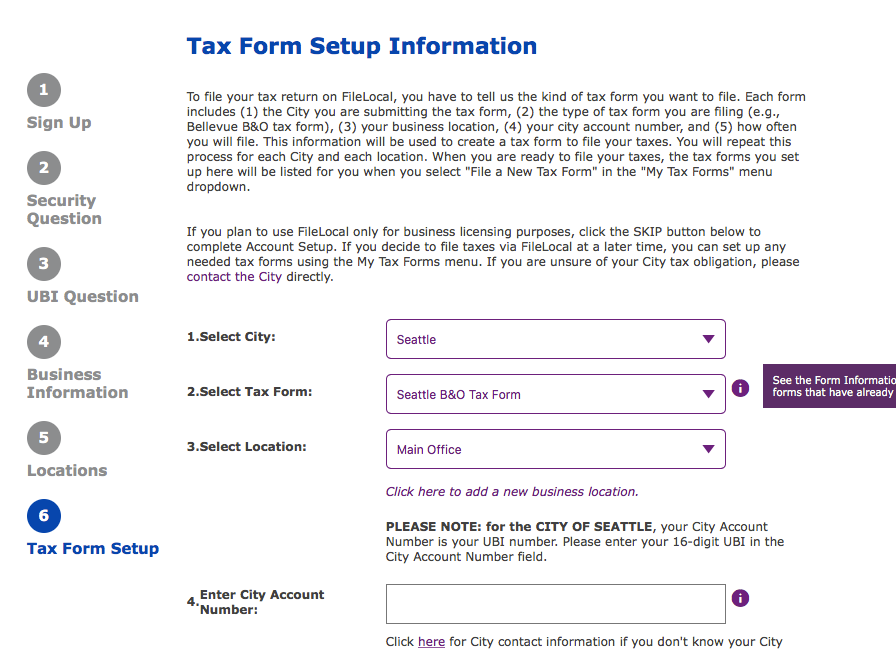
In this process, you provide your basic contact information, then all of your government numbers (so it can link up to those accounts) ... then at the end ... the whole point is to add the Tax Forms you'll be filing. For now, this is only the "Seattle B & O Tax form". Screenshot below.
The SNAG I Hit + Getting Help
On one of the last screens, it said that my UBI didn't match my business location! I called the Help number listed on the FileLocal site. They directed me to the city of Seattle. It turns out, the city had my incorrect UBI! These things happen, I suppose.
The guy helping me was super, super nice. He fixed it and the FileLocal site worked immediately.
Help Numbers:
Seattle: 206.684.8484
FileLocal: 877-693-4435
Now, for some pictures + notes:
Out with the Old - Seattle SELF Portal
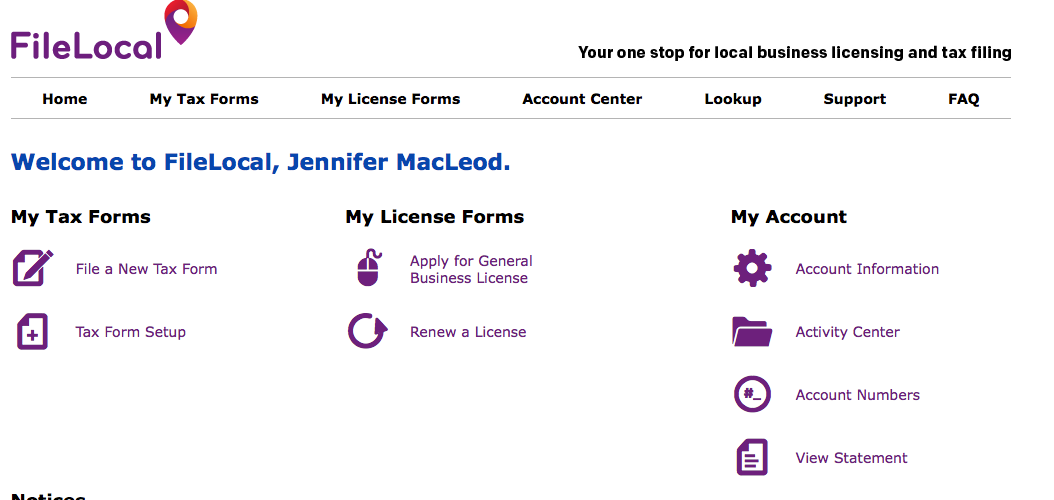
In with the New - the FileLocal Dashboard. (You won't see this screen until the very end.)
A few Screenshots along the application
This one shows the 16 digit UBI. Also NOTE: the circles on the left refer to the screens...they don't match the content on the right.
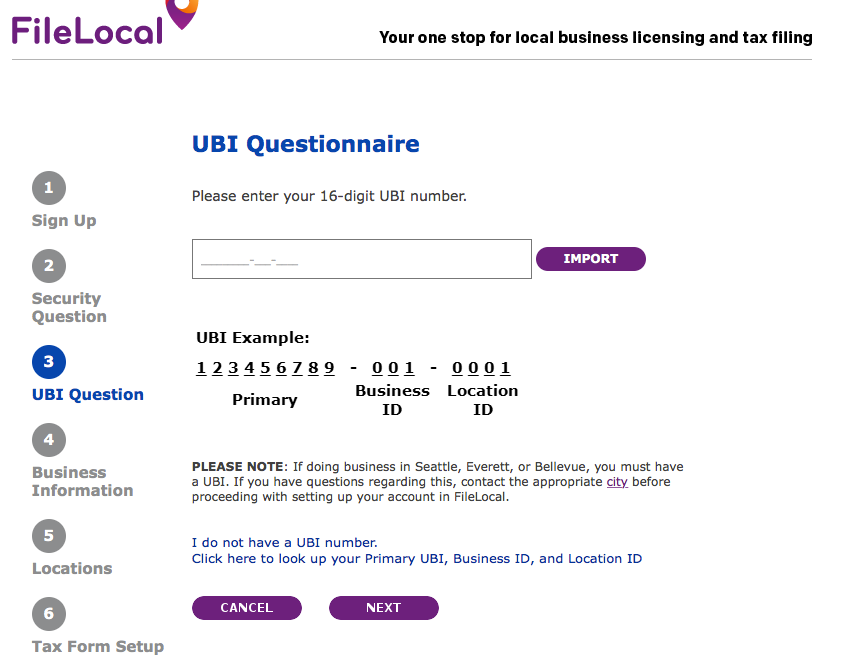
YOU CAN EITHER IMPORT YOUR WA BUSINESS DATA, OR PUT IT IN MANUALLY. IF YOU IMPORT IT, IT WILL ASK YOU FOR A VALIDATION NUMBER. THIS IS YOUR 6 DIGIT CITY CUSTOMER NUMBER.

If you're a PLLC, it looks like you'll have to choose LLC - Single Member.
At the end, they're asking you which Tax Forms you want to file through their portal. The one you want is "Seattle B & O Tax Form".
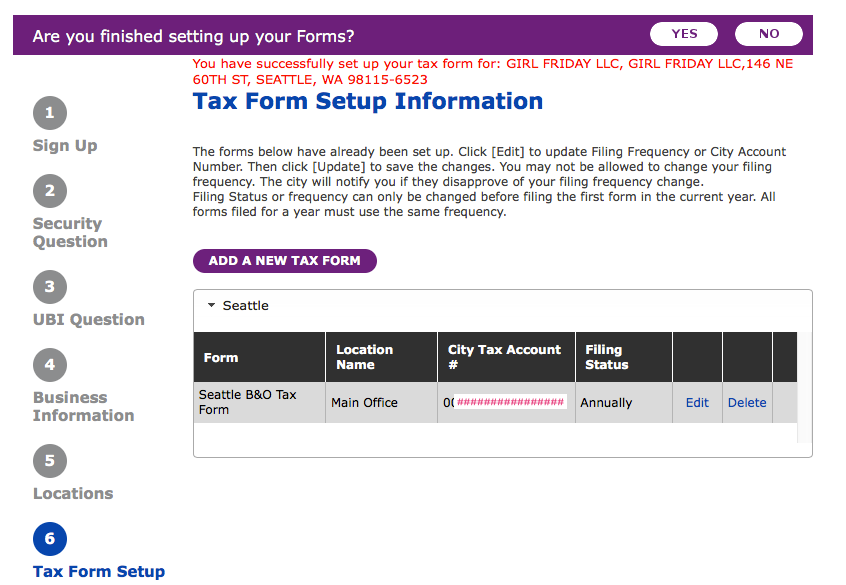
Haha...when you're all done, it congratulates you in red ... as if it's an error message! Reroute your brain to the word, 'successfully'. Cheers and head out to Ladywell's or have bubble bath. (Maybe Try the amazing Bath Bombs with Braddington Soaps!)
Bravo!
: ) Jenny Girl Friday
P.S. Please share freely with your friends who are self-employed!